Type Armenian with Your
Latin Keyboard
Type "barev" and get բարև. TranslitPro converts your Latin keystrokes into Armenian script in real time — perfect for diaspora communities and language learners.
Created in 405 AD
The Armenian alphabet was invented by Mesrop Mashtots in 405 AD and has remained largely unchanged ever since.
Diaspora Communities
Millions of Armenian speakers worldwide use the script — from Armenia to diaspora communities in Russia, France, and the US.
38 Letters
The Armenian alphabet has 38 letters, each corresponding to a specific sound in the Armenian language.
How Armenian Transliteration Works
Latin inputs and their Armenian script equivalents
b → բ gh → ղ jh → ժ ch → չ sh → շ ts → ց Open TranslitPro
No installation required. Works in any modern desktop browser.
Select Armenian
Choose Armenian from the language list. The full 38-letter alphabet is pre-configured.
Type phonetically
Type "Hayastan" and see Հայաստան appear. Special combos like "gh" → ղ and "jh" → ժ are built in.
More Than Just Transliteration
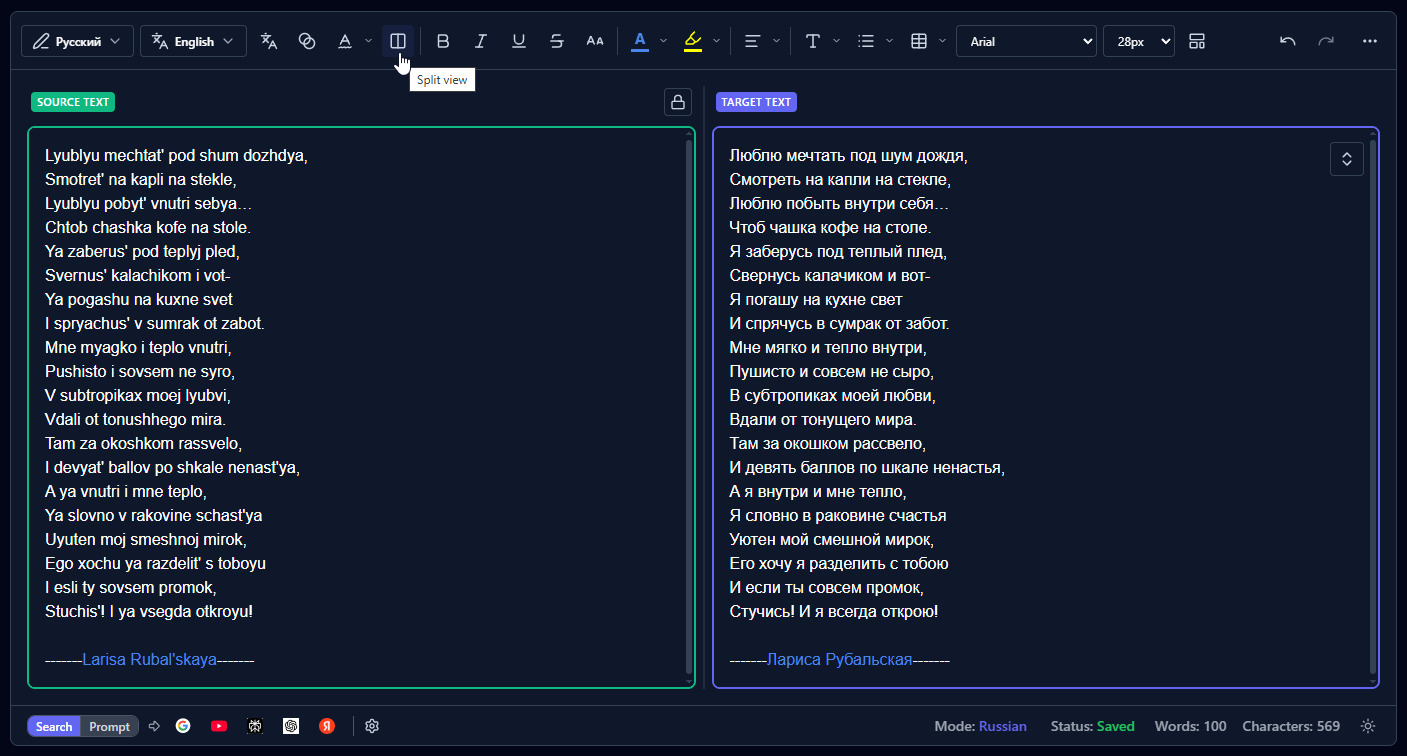
A complete desktop writing suite with transliteration, AI corrections, translation, and a powerful editor — for any script you need.
Type Naturally
Use your regular Latin keyboard on desktop. No need to learn new layouts or switch keyboard settings.
13+ Languages
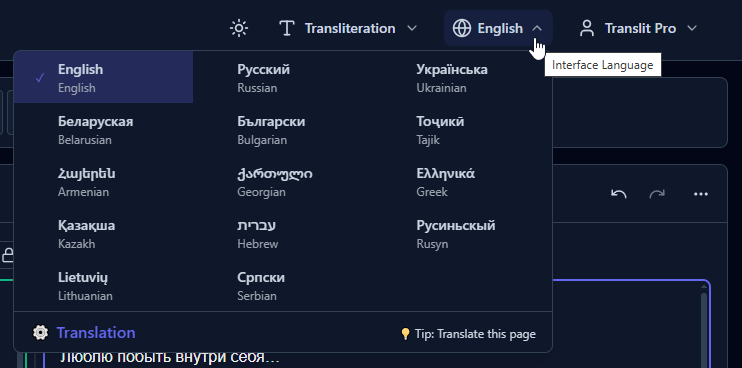
Russian, Ukrainian, Hebrew, Greek, Georgian, Armenian, Lithuanian, Bulgarian, and more — all built-in.
Add Any Language
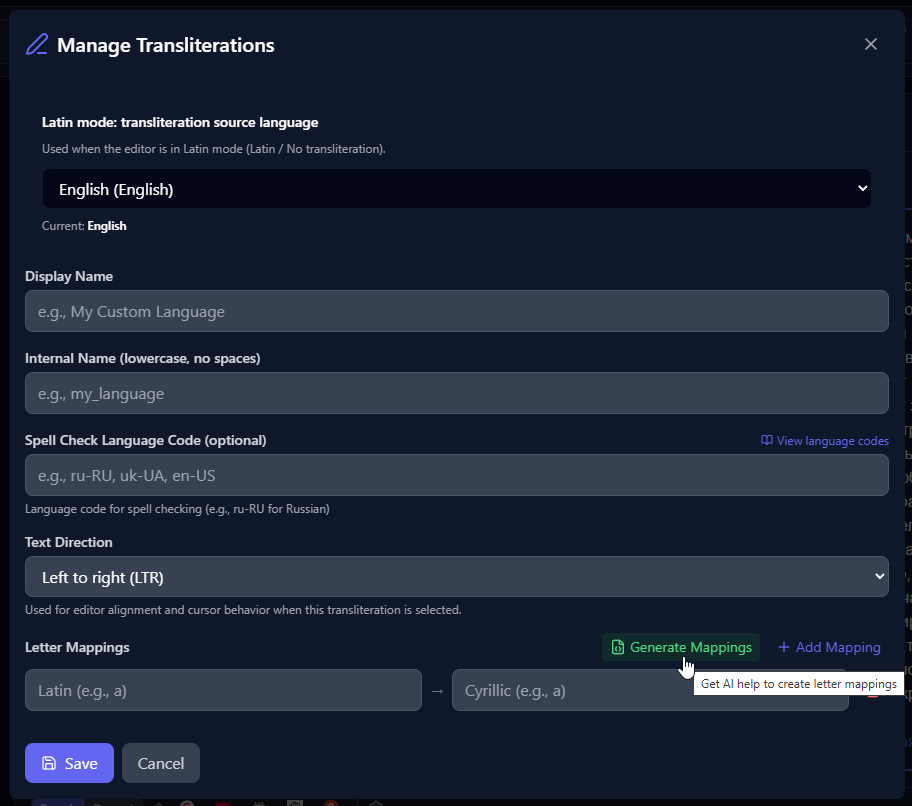
Create custom transliteration schemas for any language. Define your own keyboard layouts and mappings.
Bookmarklet (Free — login required)
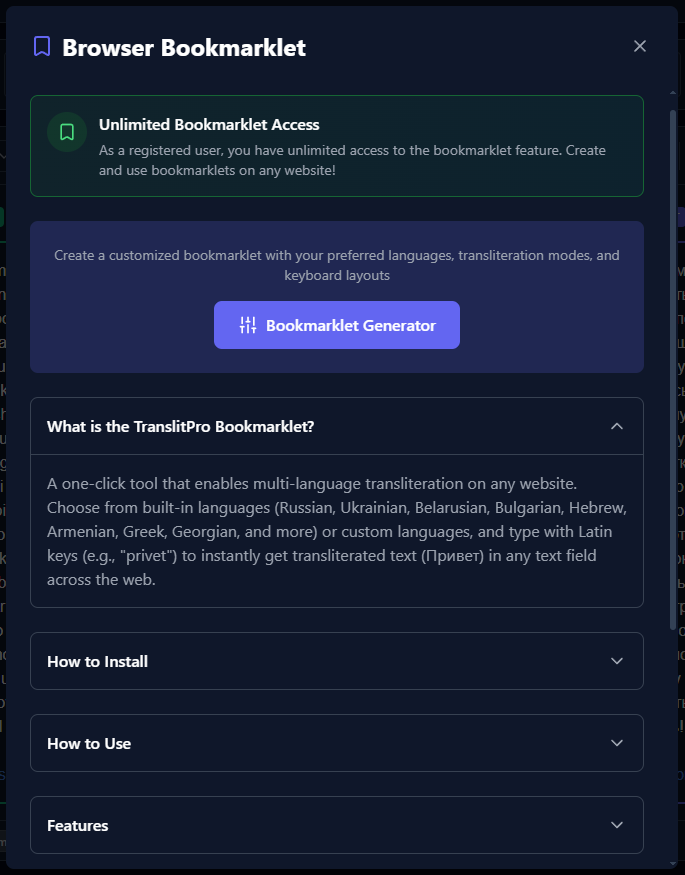
Free for all logged-in users. Create a free account to unlock it, then type in your target script directly on most websites — social media, forums, and many web apps. Note: It doesn't work on sites with strict Content Security Policy (CSP) like Google services (Gmail, Docs, etc.).
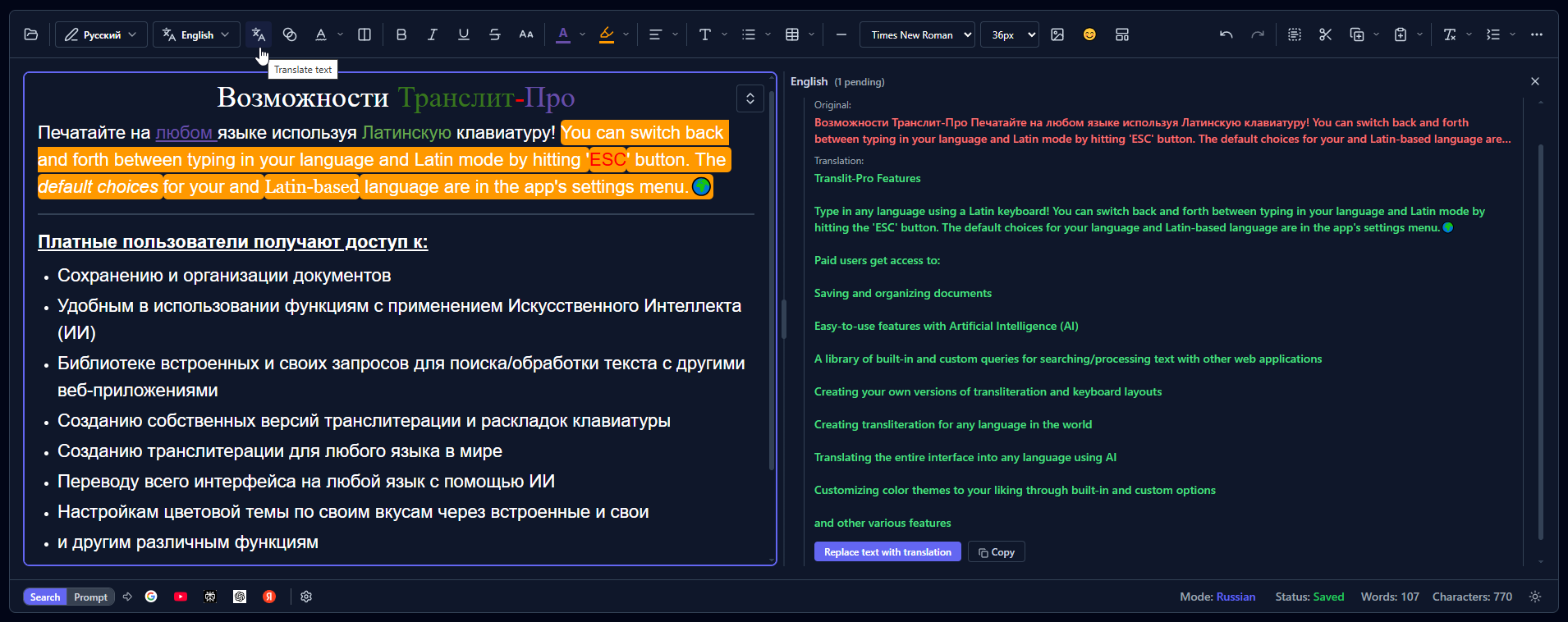
Translation
Translate your text to multiple languages directly within the editor. No need to switch apps.
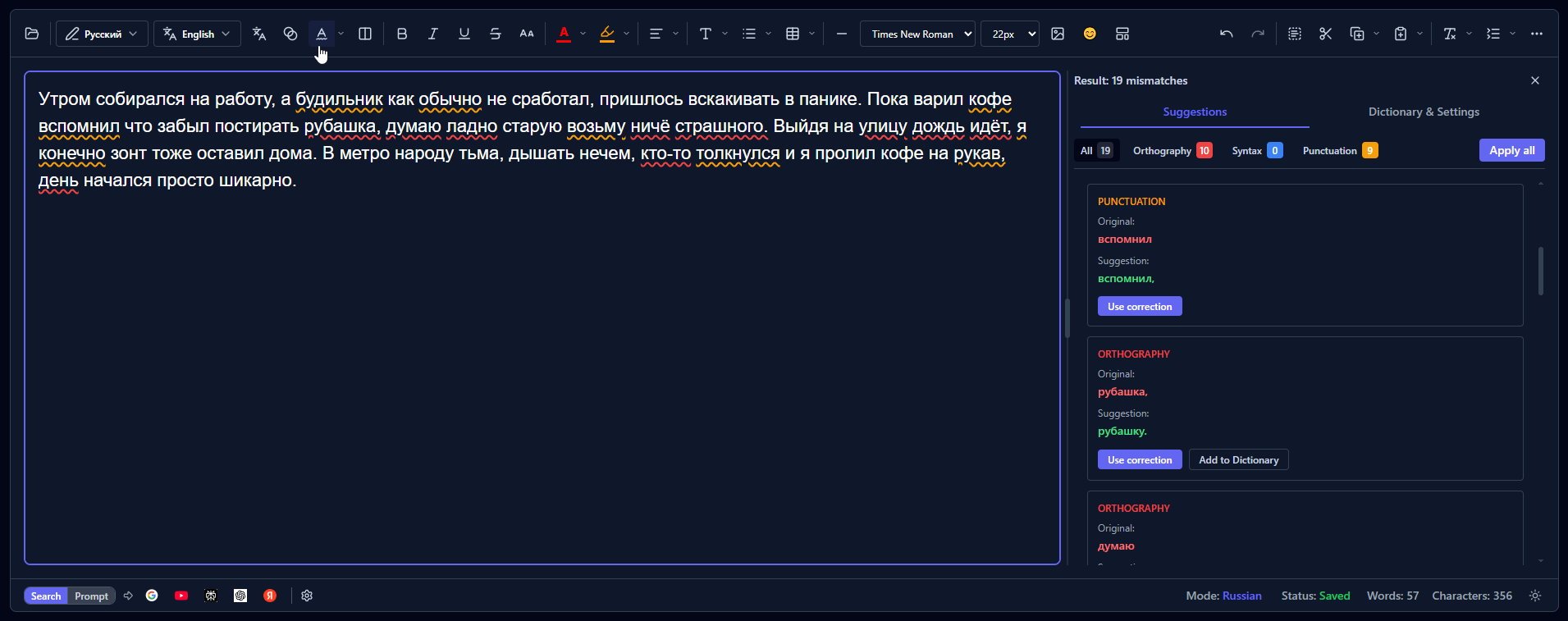
AI Assistance
Smart corrections powered by AI. Catch typos and get suggestions in your target language.
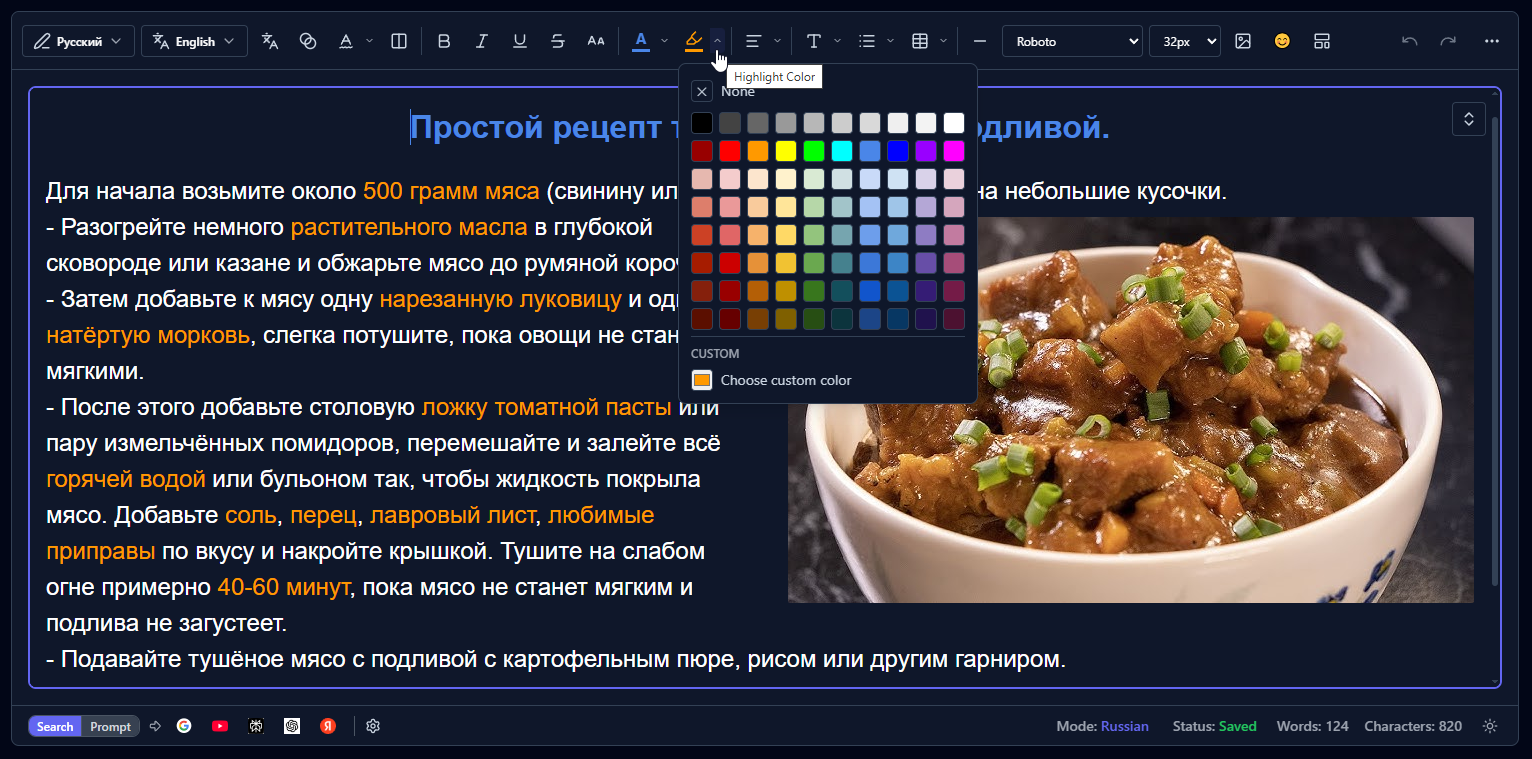
Powerful Editor
Rich text editor with formatting, styling, and seamless transliteration as you type.
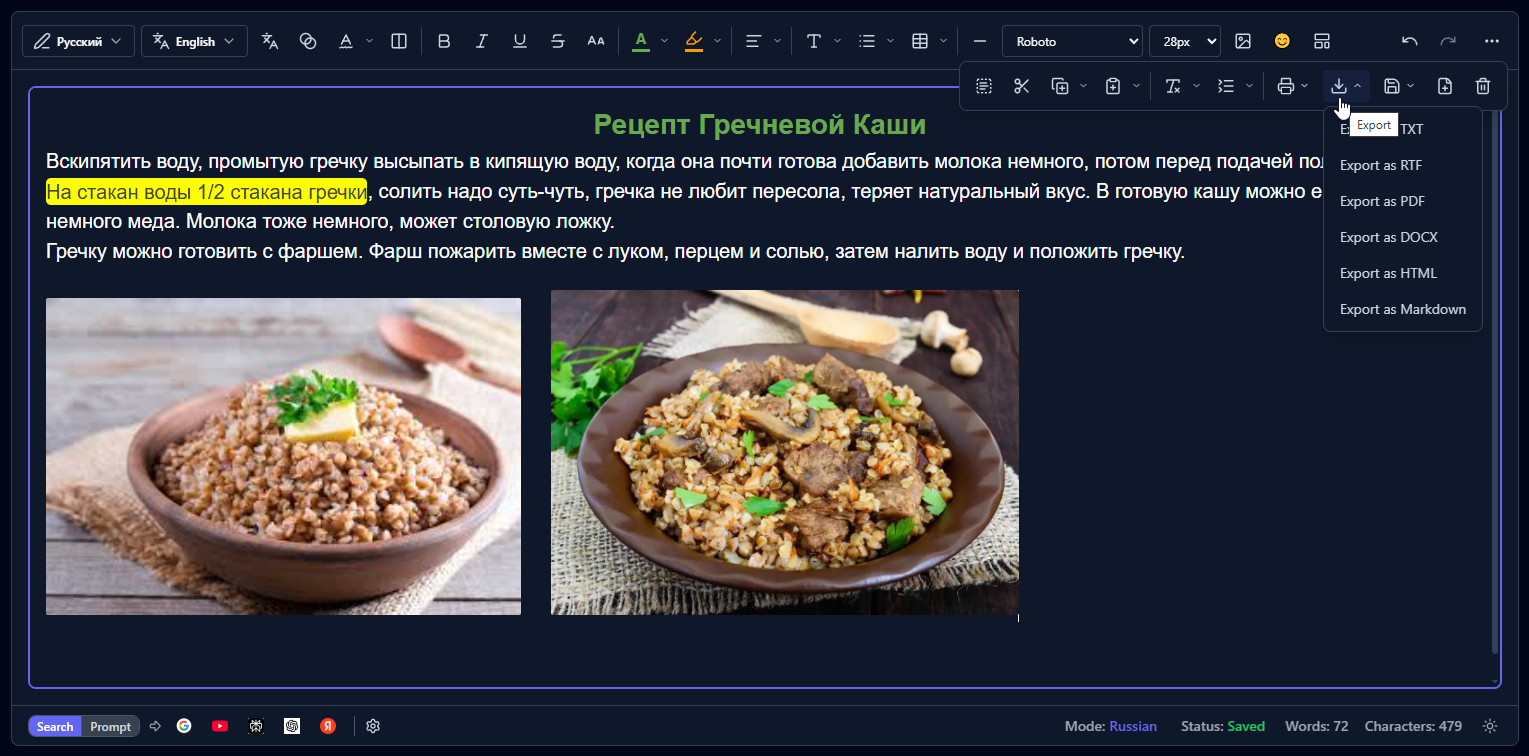
Export Anywhere
Export to TXT, RTF, HTML, Markdown, DOCX, or PDF. Your content, your format.
Simple, Transparent Pricing
Start free, upgrade when you need more. No hidden fees, cancel anytime.
Free
Try instantly. No account required.
Save your work. Unlock more tools.
- Type in 13+ languages
- Popular keyboard layouts
- Translation
- 3 search buttons
- Font styling
- Up to 2 images per document (2 MB)
- Everything from Preview
- Bookmarklet (type in your language on any website)
- Full editor tools
- Save up to 100 documents
- 500 MB storage
- AI writing assistance (10/day)
- Export to TXT
- Up to 3 images per document (5 MB)
- Document folders
Basic
Your language, your rules.
- Everything from Free
- Custom transliteration rules
- Custom keyboard layouts
- Custom UI languages
- Unlimited documents
- 5 GB storage
- Sync across all your devices
- AI writing assistance (50/day)
- Up to 20 images per document (5 MB)
- 5 search buttons
- Export to TXT, DOCX & PDF
- No ads
Pro
Have it all with no limits.
- Everything from Basic
- AI writing assistance (250/day)
- 25 GB storage
- Prompt library (100 saved)
- Language normalization (250/day)
- Unlimited images in documents
- All search buttons
- All export formats
- Theme customization
Frequently Asked Questions
Got questions? We've got answers.
What is transliteration?
Transliteration is the process of converting text from one script to another. TranslitPro converts Latin characters (like "privet") into other scripts (like "привет" in Russian) in real-time as you type.
Which languages are supported?
TranslitPro has 13+ languages built-in: Russian, Ukrainian, Belarusian, Bulgarian, Hebrew, Armenian, Georgian, Greek, Lithuanian, Tajik, Rusyn, Kazakh, and more. You can also add your own custom languages and keyboard layouts.
Can I prevent certain letter combinations from being transliterated together?
Yes! Use the + symbol as a separator. This tells TranslitPro to transliterate each letter individually instead of as a pair. Examples (Cyrillic): s+h → "сх" (instead of "ш"), t+s → "тс" (instead of "ц"), z+h → "зх" (instead of "ж").
Is TranslitPro for mobile or desktop?
TranslitPro is primarily designed for desktop users. Mobile users typically have built-in keyboards for different scripts. Our app works best on desktop browsers where you want to type in non-Latin scripts using your standard keyboard.
What is the bookmarklet?
The bookmarklet is a completely free tool for logged-in users that lets you type in your target script directly on most websites. It works on social media, forums, and many web apps. Note: It doesn't work on sites with strict Content Security Policy (CSP) like Google services (Gmail, Docs, etc.).
What can I do beyond transliteration?
TranslitPro includes a powerful rich text editor, translation to multiple languages, AI-powered spellcheck in your target language, and export to TXT, RTF, HTML, Markdown, DOCX, or PDF.
Is there a free trial?
Yes! You can use the basic transliteration features completely free, forever — no signup required. If you create a free account, the bookmarklet is yours free forever, and you also get a 30-day trial of advanced features including AI writing assistance, export, and cloud storage (500 MB free, 5 GB on Basic, 25 GB on Pro).
Can I add my own language?
Yes! With a Basic plan or higher, you can create custom transliteration schemas and keyboard layouts for any language. Perfect if you need a specific romanization system or a language not built into the app.
Can I cancel my subscription anytime?
Absolutely! You can cancel your subscription at any time from your account settings. You'll continue to have access to paid features until the end of your billing period.
Still have questions?
Start Typing Without Limits
Free to start. No setup. No learning curve.
Start Free — No Signup